Hi Timo! I have no issue opening other entries just this specific one. I have tried restarting my computer but when i open diarium again to open that entry, the app just pop the error message shown in image and instantly close so i cant edit the content of that journal entry to fix anything that is causing the issue.
I dont dare to uninstall and reinstall the app as i am afraid all the data will be lost. May I also know if I do that I need to export everything first then import everything again when i reinstall?
Please advise me when you are free! Thank you! 😃
Image:
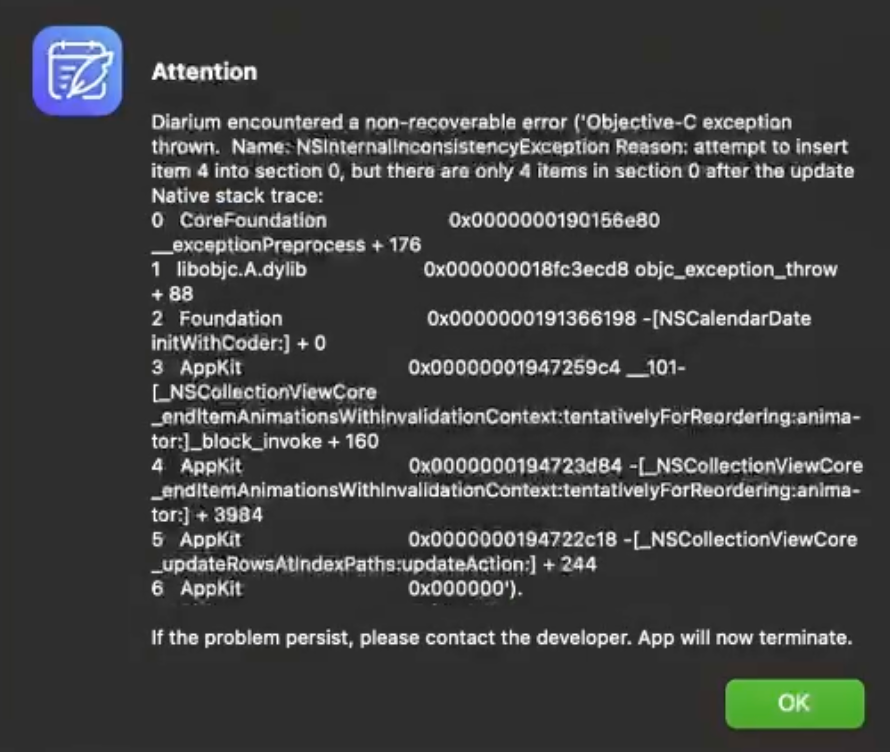
Error message:
Attention
Diarium encountered a non-recoverable error (Objective-C exception thrown. Name: NSinternalinconsistencyException Reason, attempt to insert item 4 into section 0, but there are only 4 items in section 0 after the update Native stack trace:
0 CoreFaundation
0x0000000190156e80
_exceptionPreprocess + 176
1 libobjc.A.dylib
0x000000018fc3ecd8 objc_exception_throw
- 88
0x0000000191366198 - [NSCalendarDate
initWithCoder:] + 0
0x00000001947259c4_101-
LNS CollectionView Core tor🙂block_invoke + 160
tor blockinvoie-stinvalidationContexi tentativelyF orReordering-anima -
4 AppKit
0x0000000194723d84 - LNSCollectionViewCore
__enditemAnimationsWithinvalidationContext.tentativelyForReordering:anima-
tori] + 3984
5 AppKit
0x0000000194722c18 - L_NSCollectionViewCore
_updateRowsAtindexPaths:updateAction:] + 244
6 AppKit
0x000000').
If the problem persist, please contact the developer. App will now ![terminate.]
Diarium version: 3.1.23
OS + version: Mac 15.3.2
Device model: M2 Macbook air
